Completed
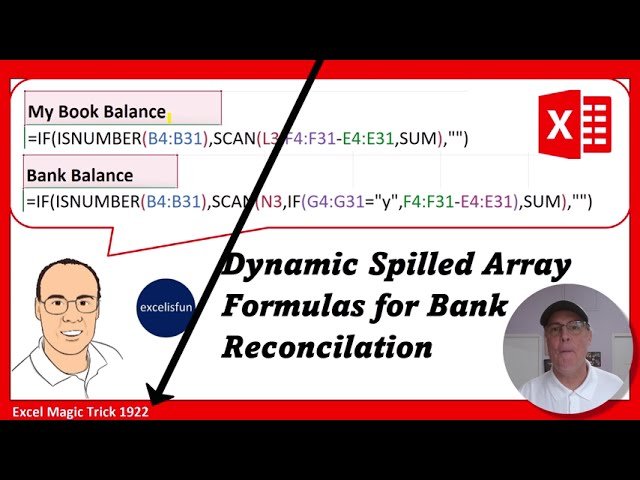
6. SCAN Formula for My Book Balance.
Class Central Classrooms beta
YouTube videos curated by Class Central.
Classroom Contents
Excel SCAN Function Dynamic Spilled Array Formula for Automatic Bank Reconciliation - EMT 1922
Automatically move to the next video in the Classroom when playback concludes
- 1 1. Introduction
- 2 2. Single Input, Single Output Formula and how they are different than Dynamic Spilled Array Formulas.
- 3 3. Why we need to use SCAN function rather than just arrays in the formula, and why Aggregate Formulas can NEVER spill an array of values.
- 4 4. SCAN function to calculate a Running Total. SCAN function is the Dynamic Spilled Array function that can invoke a Relative Cell Reference in a Dynamic Spilled Array Formula.
- 5 5. The differences between deleting Single Input, Single Output formulas and Dynamic Spilled Array Formulas.
- 6 6. SCAN Formula for My Book Balance.
- 7 7. Dynamic Spilled Array Formulas only live in the top cell.
- 8 8. Remaining cells contain Ghost Formulas.
- 9 9. Why Dynamic Spilled Array Formulas are so convenient.
- 10 10. Referencing Ghost Formulas in a Dynamic Spilled Array.
- 11 11. Editing a Dynamic Spilled Array Formula.
- 12 12. IF and ISNUMBER functions.
- 13 13. Zero Length Text String.
- 14 14. Test Formula.
- 15 15. SCAN Formula for Bank Balance.
- 16 16. Why Omitting value_if_false argument in the IF is efficient.
- 17 17. Summary.
- 18 18. Closing

