Completed
1. Introduction
Class Central Classrooms beta
YouTube videos curated by Class Central.
Classroom Contents
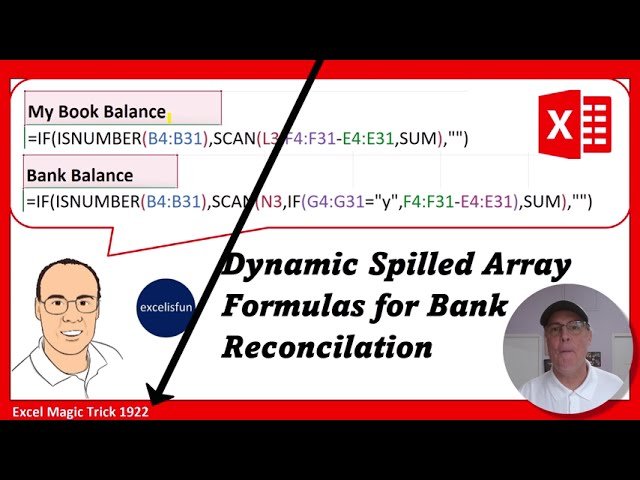
Excel SCAN Function Dynamic Spilled Array Formula for Automatic Bank Reconciliation - EMT 1922
Automatically move to the next video in the Classroom when playback concludes
- 1 1. Introduction
- 2 2. Single Input, Single Output Formula and how they are different than Dynamic Spilled Array Formulas.
- 3 3. Why we need to use SCAN function rather than just arrays in the formula, and why Aggregate Formulas can NEVER spill an array of values.
- 4 4. SCAN function to calculate a Running Total. SCAN function is the Dynamic Spilled Array function that can invoke a Relative Cell Reference in a Dynamic Spilled Array Formula.
- 5 5. The differences between deleting Single Input, Single Output formulas and Dynamic Spilled Array Formulas.
- 6 6. SCAN Formula for My Book Balance.
- 7 7. Dynamic Spilled Array Formulas only live in the top cell.
- 8 8. Remaining cells contain Ghost Formulas.
- 9 9. Why Dynamic Spilled Array Formulas are so convenient.
- 10 10. Referencing Ghost Formulas in a Dynamic Spilled Array.
- 11 11. Editing a Dynamic Spilled Array Formula.
- 12 12. IF and ISNUMBER functions.
- 13 13. Zero Length Text String.
- 14 14. Test Formula.
- 15 15. SCAN Formula for Bank Balance.
- 16 16. Why Omitting value_if_false argument in the IF is efficient.
- 17 17. Summary.
- 18 18. Closing

