Completed
10. 04:55 Preview of “Hack” method, or “Manual Method” of building code for the Custom Function in the query that uses the Custom Function.
Class Central Classrooms beta
YouTube videos curated by Class Central.
Classroom Contents
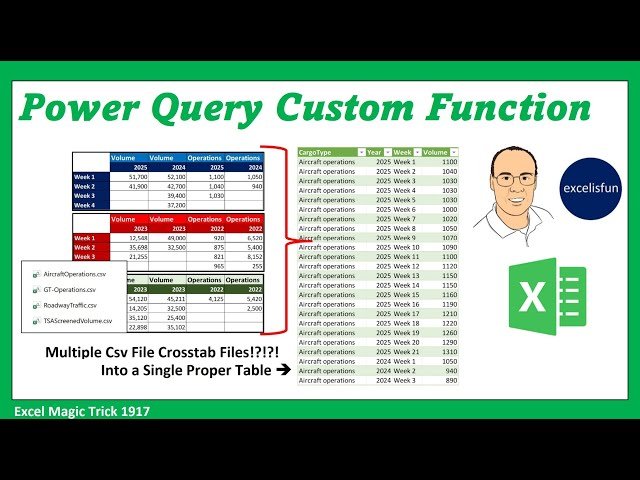
Build Power Query Custom Function - Convert Multiple CSV Cross Tab Tables into Single Table
Automatically move to the next video in the Classroom when playback concludes
- 1 1. 00:00 Introduction.
- 2 2. 00:28 Preview of videos 1917, 1918, and 1919!
- 3 3. 01:03 excelisfun’s Power Query M Code Book.
- 4 4. 01:26 Goal of Video.
- 5 5. 01:38 Preview files used in video. Structure of data files.
- 6 6. 02:26 The ways to import, transform and append cross tabulated cdv files. The three methods will be taught in videos 1917, 1918, 1919.
- 7 7. 03:00 Open Queries and Connections.
- 8 8. 03:15 From Folder feature to import multiple Csv files from Folder.
- 9 9. 04:11 On-Premise Folder Path.
- 10 10. 04:55 Preview of “Hack” method, or “Manual Method” of building code for the Custom Function in the query that uses the Custom Function.
- 11 11. 05:09 Extract single Csv file and create code for Custom Function.
- 12 12. 06:10 Keyboard shortcut to name columns in a Power Query Editor Table from dmclean3324 at YouTube.
- 13 13. 07:10 Notice that in last video Power Query interpreted empty cells in an Excel Table as null values, but Power Query interpreted empty cells in a Csv file as blank zero length text string values.
- 14 14. 08:01 Advanced Editor.
- 15 15. 08:17 What is a let expression?
- 16 16. 09:45 Create a note in the Advanced Editor.
- 17 17. 10:34 Cut M Code from first Query and paste it into a new query.
- 18 18. 11:42 Create a Custom Function. What is a Custom Function?
- 19 19. 14:13 Invoke Custom Function in table with Csv files.
- 20 20. 15:10 Append or Combine tables into single table.
- 21 21. 16:34 Summary of import, build Custom Function, Invoke Function and Append.
- 22 22. 17:00 Load new table to Worksheet.
- 23 23. 17:11 Add new Csv files to folder and refresh: AND everything updates with new data!!
- 24 24. 17:57 Summary
- 25 25. 18:05 Closing

