Completed
36:52 Resolution Impact on Training Speed
Class Central Classrooms beta
YouTube videos curated by Class Central.
Classroom Contents
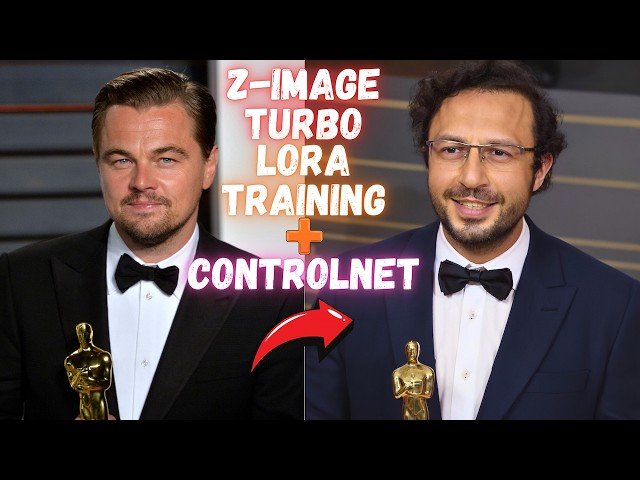
Z-Image Turbo LoRA Training with AI Toolkit and Z-Image ControlNet Full Tutorial for Highest Quality
Automatically move to the next video in the Classroom when playback concludes
- 1 0:00 Introduction to Z-Image Turbo Model
- 2 0:54 FP8 Scaled Version 5.7GB for Low VRAM
- 3 1:10 ControlNet Union with Z-Image Turbo
- 4 1:30 LoRA Training with Ostris AI Toolkit
- 5 2:00 Default vs Custom Training Preset Quality Comparison
- 6 3:00 RunPod Cloud Training Preview
- 7 3:40 MassedCompute Cloud Training Preview
- 8 4:16 Downloading Z-Image Models via SwarmUI
- 9 5:00 Z-Image Turbo Core Bundle & ControlNet Files
- 10 5:58 FP8 Scaled Model & Musubi Tuner Converter
- 11 7:13 Updating ComfyUI for Sage & Flash Attention
- 12 8:13 Updating SwarmUI & ControlNet Preprocessors
- 13 8:52 Updating & Importing Latest SwarmUI Presets
- 14 9:20 Generating with Quality 2 Fast Preset
- 15 10:48 Generating with Quality 1 Upscale Preset
- 16 11:35 Quality 1 vs Quality 2 Visual Comparison
- 17 12:13 Setting up ControlNet Input & Aspect Ratio
- 18 13:41 ControlNet Strength Settings & Canny Test
- 19 15:26 Using Depth Preprocessor with Z-Image
- 20 15:58 Coloring Lineart Drawings with ControlNet
- 21 16:58 Lineart Preprocessing Comparison
- 22 17:50 Ostris AI Toolkit Installation Prerequisites
- 23 19:12 Installing Ostris AI Toolkit on Windows
- 24 20:02 First Time UI Setup & Launching Interface
- 25 21:04 Loading Custom Training Configs
- 26 21:38 Creating a New Dataset Structure
- 27 22:24 Ultimate Batch Image Processing App Install
- 28 23:17 Dataset Prep Stage 1: Auto-Zooming with SAM2
- 29 26:08 Dataset Prep Stage 2: Resizing to Exact Resolution
- 30 28:12 How to Select Best Training Images
- 31 30:24 Importance of Emotions & Angles in Datasets
- 32 31:44 Z-Image Resolution & Aspect Ratio Rules
- 33 33:21 Configuring Training Parameters & Epochs
- 34 36:52 Resolution Impact on Training Speed
- 35 37:46 Starting the Training Job on Windows
- 36 38:39 Monitoring Training Progress & VRAM
- 37 39:43 Checkpoint Generation Settings
- 38 40:40 Resuming Training from Last Checkpoint
- 39 42:09 Training Speeds on RTX 5090 vs 4090 vs 3060
- 40 43:01 Training Quality: Default vs Custom Preset Comparison
- 41 44:21 Testing LoRAs with SwarmUI Grid Generator
- 42 46:04 Fixing ControlNet Error in Grid Generation
- 43 47:09 Comparing Generated LoRA Checkpoints
- 44 47:38 Using Trained LoRA with ControlNet Union
- 45 48:10 RunPod: GPU Selection & Template Setup
- 46 50:32 RunPod: Port 8675 Config & Initialization
- 47 51:36 RunPod: Uploading Installation Files
- 48 52:01 RunPod: One-Click Installation Command
- 49 54:07 RunPod: Starting AI Toolkit & Proxy Connection
- 50 54:38 RunPod: Uploading Dataset via Interface
- 51 55:32 RunPod: Starting the Training Job
- 52 56:24 RunPod: Speed & Cost Analysis
- 53 57:28 RunPod: Auto-Stop Command Setup
- 54 58:24 MassedCompute: GPU Selection & Coupon Code
- 55 1:00:16 MassedCompute: ThinLinc Client Setup
- 56 1:01:21 MassedCompute: Transferring Files to Shared Folder
- 57 1:02:55 MassedCompute: Installation Command
- 58 1:05:49 MassedCompute: Connecting via Public URL
- 59 1:06:54 MassedCompute: Starting Training Job
- 60 1:08:43 Downloading Checkpoints & Stopping Instance

