Completed
9:51 Main Tutorial Video Recommendation and Prompt Enhance Improvements
Class Central Classrooms beta
YouTube videos curated by Class Central.
Classroom Contents
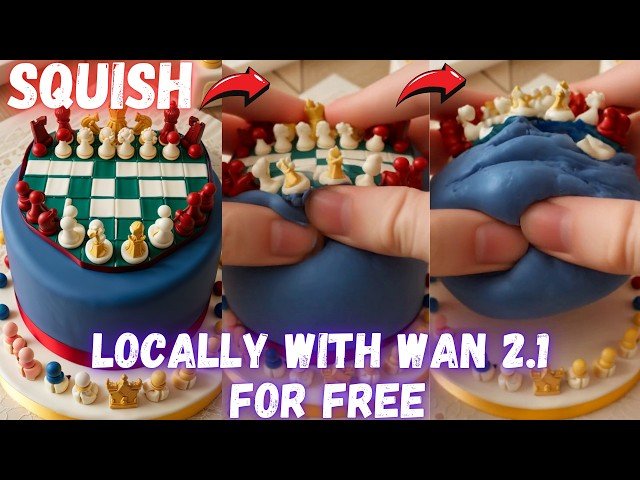
Wan 2.1 App Updates - Squish Effect LoRA for Local Video Generation
Automatically move to the next video in the Classroom when playback concludes
- 1 0:00 Introduction & Wan 2.1 Updates: Overview of new features and the Squishing LoRA effect.
- 2 0:10 Squishing Video Effect LoRA & New Features: Exploring the new LoRA and updates like FP8, BF16.
- 3 0:29 Application Updates and Demonstrations: Showing "Save Prompt to File" and config saving.
- 4 0:45 RIFE for FPS Boost, FP8/BF16 Options, and LoRA Support
- 5 1:02 Improved "Save Prompt to File" & Configuration System: How saving prompts and configs works.
- 6 1:19 Configuration Saving Demonstration Example: "My Squish LoRA": A practical example of config use.
- 7 1:37 Using the Application & Installation Tutorial Link
- 8 2:05 Navigating the Update Log and Finding Installation Instructions: Step-by-step setup guide.
- 9 2:33 Downloading, Installing, and Running the Installation Script
- 10 3:11 Downloading Models and Model Selection Options: Choosing the right model for your needs 480p, 720p.
- 11 3:44 Downloading Specific Models and File Size Optimizations: How to manage download size.
- 12 4:11 Starting the Application & Troubleshooting Triton Errors: Fixing common startup issues.
- 13 4:35 Interface Overview, Model Selection, and GPU Preset Settings: Configuring the application.
- 14 5:00 "Apply Practical RIFE" for FPS Boost and Smoothness Demonstration: Before/after RIFE comparison.
- 15 5:29 RIFE Model Details, Prompt Setup, and LoRA Activation Word: Using the Squish LoRA effectively.
- 16 6:00 Selecting the LoRA in the Interface and Uploading Your Image: Preparing for image-to-video.
- 17 6:39 Parameter Verification, Kudos to the Creator, and Frame Count Explanation: Setting up the generation.
- 18 7:11 Reducing Inference Steps for Faster Generation and Monitoring GPU Usage: Optimizing speed.
- 19 7:55 Generation Time, Future Speed Improvements Teacache, and Implementation Details
- 20 8:24 Current Optimizations Triton, CUDA, Torch, Flash Attention and Comparison to ComfyUI
- 21 8:54 VRAM Usage, Quality Focus, and Finding Other Compatible LoRAs on CivitAI
- 22 9:34 CivitAI LoRA Search, Generation Progress, and Speed on RTX 5090: Real-world performance.
- 23 9:51 Main Tutorial Video Recommendation and Prompt Enhance Improvements
- 24 10:27 Continuous Application Improvements, Future Plans Hunyuan Video, and Tiled VAE
- 25 10:58 Generation Completion and Example Video Review: Assessing the final output quality
- 26 11:11 Introducing to MMAudio: Brief introduction to MMAudio application
- 27 11:32 MMAudio demo and explanation: showing example and basic prompt
- 28 12:03 Speed of MMAudio and coming tutorial: demonstration of generation speed
- 29 12:14 MMAudio multiple seed generation: Generating multiple seeds for better output
- 30 12:41 MMAudio features and showing examples
- 31 13:12 Conclusion, Resource Links, and Call to Action

