Completed
0:00:34 Effort & Goal: Easy Installation & Use of Complex Workflows
Class Central Classrooms beta
YouTube videos curated by Class Central.
Classroom Contents
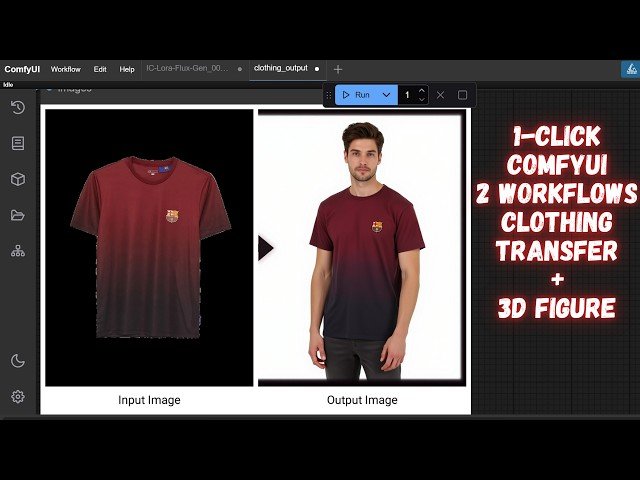
Transfer Any Clothing Into A New Person & Turn Any Person Into A 3D Figure - ComfyUI Tutorial
Automatically move to the next video in the Classroom when playback concludes
- 1 0:00:00 Intro: Two One-Click ComfyUI Workflows Clothing Gen & 3D Figure
- 2 0:00:34 Effort & Goal: Easy Installation & Use of Complex Workflows
- 3 0:00:49 Setup Part 1: ComfyUI Prerequisite & Downloading Project Zip File
- 4 0:01:06 Setup Part 2: Extracting Zip into ComfyUI Folder WinRAR 'Extract Here' Tip
- 5 0:01:18 Setup Part 3: Running update_comfyui.bat for Latest ComfyUI Version
- 6 0:01:37 Setup Part 4: Running install_clothing_and_3D.bat Installs Nodes & Requirements
- 7 0:02:03 Model Downloads: Intro to Swarm UI Auto-Installer & Automatic Updater
- 8 0:02:28 Using Swarm UI: Launching Windows_start_download_models_app.bat
- 9 0:02:51 Model Selection in Swarm UI: Flux Dev GGUF Q8 & Low VRAM Options
- 10 0:03:05 Configuring Model Download Path: Pointing to Your ComfyUI/models Folder
- 11 0:03:22 Downloading Flux Model: GGUF Quality Levels Explained Q8, Q6, Q5, Q4, KM, KS
- 12 0:04:10 Downloading Workflow Bundle: 'Clothing Migration Workflow Bundle' for All Models
- 13 0:04:38 Starting ComfyUI: Using Windows_run_GPU.bat & Optional .bat File Customization
- 14 0:05:16 Workflow 1 Clothing: Loading via Drag & Drop, Selecting Input Garment Image
- 15 0:05:33 Workflow 1 Clothing Params: Crafting the Main Generation Prompt & Adding Extra Text
- 16 0:06:02 Workflow 1 Clothing Params: GPU-Dependent Model Loader GGUF Q8 vs Full Precision FP16
- 17 0:06:22 Workflow 1 Clothing Low VRAM: Block Swapping with FP16 Flux Dev Model UNET Loader
- 18 0:06:55 Workflow 1 Clothing Model Weights: FP16 Max Quality, FP8 Speed/VRAM, GGUF Q8
- 19 0:07:20 Workflow 1 Clothing Key Settings: CFG Guider 1.5 Recommended & Output Resolution 1MP
- 20 0:07:56 Running Workflow 1 Clothing & Monitoring GPU VRAM Usage with nvitop
- 21 0:08:09 Workflow 1 Clothing Auto Captioning: Meta Llama F4 Default, BF16 for High VRAM GPUs
- 22 0:08:49 Workflow 1 Clothing Prompt Dissection: Understanding '[cloth-on]' & T5XXL Encoder Role
- 23 0:09:19 Workflow 1 Clothing Advanced Components: Migration Lora & Ali Mama Flux Inpainting Model
- 24 0:09:44 VRAM Insights: Q8 GGUF Higher Usage vs. Low VRAM Block Swapping Strategy ~8-10GB
- 25 0:09:56 Workflow 1 Clothing Output: Generated Person Wearing Chosen Garment Face Inpainting Tip
- 26 0:10:12 Workflow 2 3D Figure: Loading "Turn into 3D Figure" Workflow via Drag & Drop
- 27 0:10:26 Workflow 2 3D Figure Params: Input Person Image, Optional Prompt, Model Loader Choices
- 28 0:10:46 Running Workflow 2 3D Figure & Uploading Person Image for 3D Toy-Style Generation
- 29 0:11:06 Note: Full ComfyUI & SwarmUI Installation Covered in Separate Channel Tutorial Video
- 30 0:11:32 Benefits of Provided ComfyUI Installer: Latest GPU & Advanced Attention Mechanism Support
- 31 0:11:59 Installation Method Explained: Virtual Environment for a Safe & Isolated ComfyUI Setup
- 32 0:12:28 Workflow 2 3D Figure Output: Generated 3D Style Figure Prompt Customization Tips
- 33 0:12:45 Final Thoughts: Future One-Click ComfyUI Tutorials & Call to Subscribe for More!

