Completed
00:00 - Introduction
Class Central Classrooms beta
YouTube videos curated by Class Central.
Classroom Contents
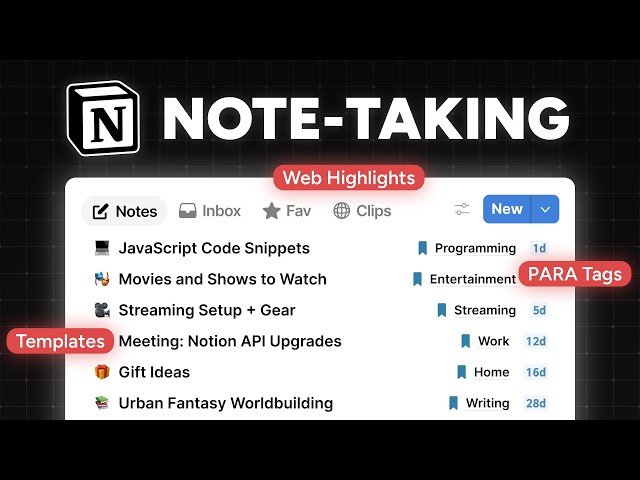
Building a Minimalist Note-Taking System in Notion with PARA Method Organization
Automatically move to the next video in the Classroom when playback concludes
- 1 00:00 - Introduction
- 2 00:30 - Starting from a blank page
- 3 01:18 - Preview of the full build
- 4 01:58 - Setting the first page's icon
- 5 02:30 - Customizing the page settings
- 6 03:04 - Creating the initial databases
- 7 05:09 - Setting the Notes database icon
- 8 07:24 - Creating Notes database properties
- 9 09:24 - Changing the width of a database property in table view
- 10 10:25 - Relation properties
- 11 12:57 - Select properties
- 12 14:06 - Other properties in the Notes database
- 13 14:43 - File properties for screenshots and voice notes
- 14 15:48 - Finishing up the Notes database properties
- 15 18:39 - Customizing the layout for Notes pages
- 16 25:57 - Setting up default views for the Notes database
- 17 29:10 - Setting up the Tags database
- 18 29:52 - Using a Status property instead of a Select to allow for a default setting
- 19 31:15 - Tiago Forte's PARA Method
- 20 34:23 - Adding more properties to the Tags database
- 21 35:44 - Configuring the Root Tag rollup in the Notes database
- 22 37:15 - Finishing up the Tags database properties
- 23 38:01 - Customizing the layout for Tags pages
- 24 40:30 - Setting up views for the Tags database
- 25 41:14 - Adding views to the Ultimate Notes dashboard
- 26 43:25 - New Notion feature: conditional colors
- 27 44:13 - Continuing with the Ultimate Notes views
- 28 54:49 - Capturing things from the web with Flylighter
- 29 56:42 - Finishing up the main Notes view
- 30 1:00:12 - Adding the formulas to the formula properties
- 31 1:06:18 - Creating the Tags area on the main page
- 32 1:10:25 - Setting up a few convenient database templates
- 33 1:26:58 - Adding a button to quickly create new notes
- 34 1:28:30 - Turning the databases into separate pages and locking them to prevent unintended changes
- 35 1:30:04 - Ways you can further upgrade your new system

