Completed
3:04:14 - Fetching Today's Completions
Class Central Classrooms beta
YouTube videos curated by Class Central.
Classroom Contents
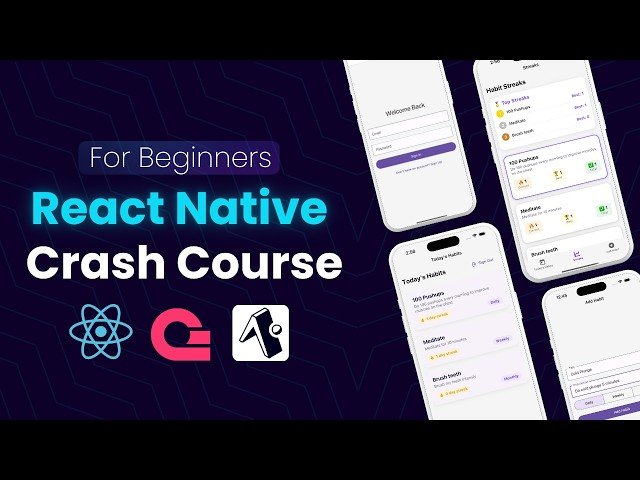
React Native Full Course 2025 - Become a React Native Pro in 4 Hours
Automatically move to the next video in the Classroom when playback concludes
- 1 00:00 - Introduction & What You'll Build
- 2 01:00 - Why React Native & Expo in 2025
- 3 02:45 - Understanding Core Components View, Text, TextInput, ScrollView
- 4 03:58 - What is Expo and Why We're Using It
- 5 04:48 - Creating a New Expo App Project
- 6 06:17 - Exploring the Boilerplate Project
- 7 07:10 - Understanding the App Folder, index.tsx, and _layout.tsx
- 8 08:48 - Navigation Basics with Expo Router
- 9 13:12 - Creating and Linking New Screens
- 10 17:01 - Styling and Customizing Navigation Links
- 11 20:50 - Implementing Bottom Tab Navigation with Expo Router
- 12 27:04 - Customizing Tab Icons & Active States
- 13 29:56 - Starting the Habit Tracker App: Project Structure & Goal
- 14 34:04 - Setting Up Appwrite for Backend Services
- 15 38:09 - Creating the Appwrite Client in Your Project
- 16 42:10 - Building the Auth Page UI with React Native Paper
- 17 47:07 - Implementing Route Guards with Expo Router
- 18 50:04 - Handling Sign Up / Sign In Logic
- 19 56:00 - Finalizing UI & Switching Between Auth Modes
- 20 1:03:00 - Wiring Up Auth Logic with Context API
- 21 1:10:00 - Using Auth Provider and Redirecting Logged-In Users
- 22 1:17:32 - Sign Out Functionality and Testing Auth Flow
- 23 1:21:10 - Planning the Habit Tracker Screens
- 24 1:23:00 - Styling Tabs & Customizing Navigation UI
- 25 1:28:20 - Setting Up the Appwrite Database & Collections
- 26 1:33:00 - Connecting to Appwrite Database from React Native
- 27 1:35:00 - Building the Add Habit Screen UI
- 28 2:00:33 - Adding Habits to the Database
- 29 2:06:18 - Handling Permissions in Appwrite
- 30 2:08:04 - Fetching & Displaying Today's Habits
- 31 2:14:13 - Building the Habits UI
- 32 2:19:03 - Styling the Habit Cards
- 33 2:31:05 - Making the Screen Scrollable
- 34 2:34:00 - Setting Up Swipe to Complete/Delete
- 35 2:40:00 - Implementing Swipeable Actions
- 36 2:44:00 - Deleting a Habit with Swipe
- 37 2:46:00 - Fixing Swipe Ref Behavior
- 38 2:48:00 - Completing a Habit & Creating a New Collection
- 39 2:59:02 - Updating Habit Streak on Completion
- 40 3:00:06 - Completing a Habit and Updating the Streak
- 41 3:03:12 - Creating the Habit Completions Collection
- 42 3:04:14 - Fetching Today's Completions
- 43 3:07:02 - Preventing Duplicate Completions
- 44 3:10:30 - Subscribing to Habit Completion Updates
- 45 3:13:13 - Styling Completed Habits
- 46 3:17:32 - Creating the Streaks Screen
- 47 3:21:00 - Fetching Habit Completion History
- 48 3:23:24 - Calculating Current & Best Streaks
- 49 3:32:29 - Ranking Habits by Streak
- 50 3:37:04 - Displaying Streak Cards
- 51 3:54:06 - Building Top 3 Habit Leaderboard
- 52 4:03:00 - Final UI Touches & Styling
- 53 4:06:59 - Outro

