Completed
0:00 Introduction to the Qwen Image Edit Model & Tutorial Overview
Class Central Classrooms beta
YouTube videos curated by Class Central.
Classroom Contents
Qwen Image Edit Complete Tutorial - 26 Demo Cases with Prompts and Images
Automatically move to the next video in the Classroom when playback concludes
- 1 0:00 Introduction to the Qwen Image Edit Model & Tutorial Overview
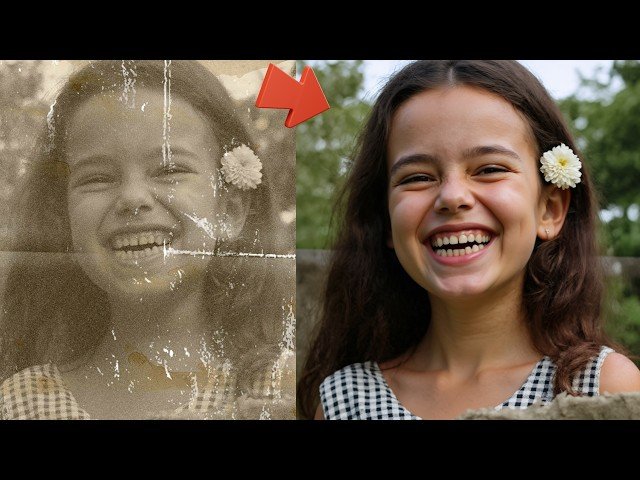
- 2 0:32 Demo 1: Next-Level AI Photo Restoration
- 3 1:04 Demo 2: Changing Text on Existing Images
- 4 1:22 Demo 3: Image Stylization Pixel Art, Cartoon, Pixar, 3D Render
- 5 2:21 Demo 4: Changing Object Materials Wood to Marble
- 6 2:41 Demo 5: Generating High-Quality Logos from a Blank Canvas
- 7 3:39 Demo 6: Generating Images with High-Quality Text
- 8 3:57 Demo 7: Adding Realistic Objects to a Scene Lion
- 9 4:21 Demo 8: Removing Objects from an Image
- 10 4:46 Demo 9: Replacing People with Characters Iron Man
- 11 5:25 Demo 10: Adding Accessories to People Hat
- 12 5:44 Demo 11: Extracting Clothing from an Image
- 13 6:03 Demo 12: Rotating Subjects to Different Angles
- 14 6:37 Demo 13: Anime & Ghibli Stylization
- 15 7:11 Demo 14: Background Removal & Replacement
- 16 7:30 Demo 15: Image Expansion Outpainting
- 17 7:47 Demo 16 Limitation: Modifying Facial Expressions
- 18 8:16 Demo 18: Changing Clothing T-Shirt to Suit
- 19 8:34 Demo 19: Changing the Season Summer to Winter
- 20 9:08 Demo 21: Keeping Text While Changing Background & Style
- 21 10:01 Demo 22: Advanced Text & Background Styling for Thumbnails
- 22 10:42 Demo 24: Colorizing & Shading Rough Sketches
- 23 11:07 Demo 25: Rendering Professional & Technical Sketches
- 24 11:37 Demo 26: Converting Real Photos into Professional Sketches
- 25 12:04 Installation Guide: Required Downloads & Initial Setup
- 26 12:50 Step 1: Updating ComfyUI & SwarmUI
- 27 13:28 Step 2: Importing the Latest Presets Clean Import Method
- 28 14:21 Step 3: Downloading the Qwen Image Edit Models
- 29 14:44 How to Select Low VRAM Models GGUF Quantizations
- 30 15:46 Troubleshooting: How to Fix Black Image Outputs
- 31 16:52 How to Use: Applying the Preset & Verifying Model Architecture
- 32 18:20 Workflow: Using a Prompt Image No Init Image
- 33 19:22 CRITICAL STEP: Matching Output Resolution to Input Image
- 34 20:00 Tutorial: How to Perfectly Resize Images with Paint.net
- 35 21:39 Running Your First Generation & Checking Progress
- 36 22:54 How to Upscale Your Generations
- 37 23:45 When to Use and Not Use the Upscaler
- 38 26:03 Generating Images from a Blank Canvas No Input Image
- 39 28:36 Comparing Upscaled vs. Original Generations
- 40 30:00 For Best Realism: Use the SUPIR Upscaler
- 41 31:11 Coming Soon: Qwen Image Edit LoRA Training Application
- 42 32:14 Final Resources & Where to Get Help

