Completed
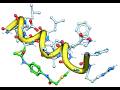
Peptide Stapling: How to use the staple library hydrocarbon and specialty chemistries to create covalent links at I+4 or I+7 positions.
Class Central Classrooms beta
YouTube videos curated by Class Central.
Classroom Contents
Peptide Modeling in MolSoft ICM-Pro Interactive Ligand Editor
Automatically move to the next video in the Classroom when playback concludes
- 1 Peptide Mode: Enabling the "peptide mode" in the Ligand Editor to ensure continuous chain handling and correct backbone geometry.
- 2 Editing Tools: Step-by-step residue operations including inserting, deleting, replacing, and adding Acetyl/NH₂ caps.
- 3 Refinement & Minimization:
- 4 Peptide Stapling: How to use the staple library hydrocarbon and specialty chemistries to create covalent links at I+4 or I+7 positions.

