Completed
0:00 Introduction
Class Central Classrooms beta
YouTube videos curated by Class Central.
Classroom Contents
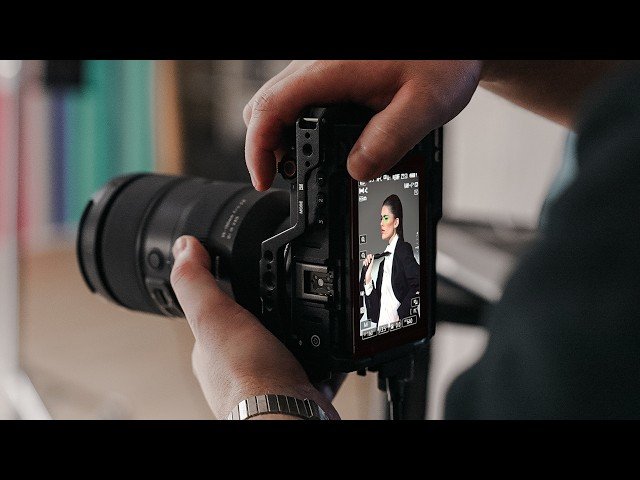
Nikon ZR Studio Portrait Shoot - From Start to Finish with Aftershoot
Automatically move to the next video in the Classroom when playback concludes
- 1 0:00 Introduction
- 2 0:46 Planning & Mood Board Process
- 3 1:28 Gear Discussion - Nikon ZR Camera
- 4 3:14 Autofocus Performance with Adapted Lenses
- 5 3:30 First Lighting Setup - Dramatic Spot Look
- 6 4:02 Shooting First Look
- 7 5:22 Second Lighting Setup - Silhouette Style
- 8 6:03 Shooting Second Look
- 9 7:00 120fps Burst Mode Test
- 10 7:40 Third Lighting Setup - Butterfly/Overhead
- 11 8:11 Shooting Third Look
- 12 8:23 thoughts on shooting with the ZR
- 13 9:01 Images in Lightroom
- 14 9:28 introduction to Aftershoot
- 15 9:40 I made a stupid mistake
- 16 10:06 Importing Photos
- 17 11:15 Culling Process
- 18 12:30 Culling Results Review
- 19 14:24 Export to LR
- 20 14:39 Creating AI Editing Profiles
- 21 15:39 Profiles
- 22 16:03 Profile Configuration
- 23 17:13 Generating Custom AI Profile
- 24 17:25 Editing Using Custom Profile
- 25 18:46 Reviewing Edited Results
- 26 19:44 Export
- 27 19:53 Retouching
- 28 22:16 Before & After
- 29 22:24 Retouching another image
- 30 22:39 Patch tool Manual retouch
- 31 23:34 Batch retouch with preset
- 32 24:02 Wrap Up - Full Workflow Summary
- 33 24:26 Aftershoot 15% off
- 34 24:50 Outro

