Completed
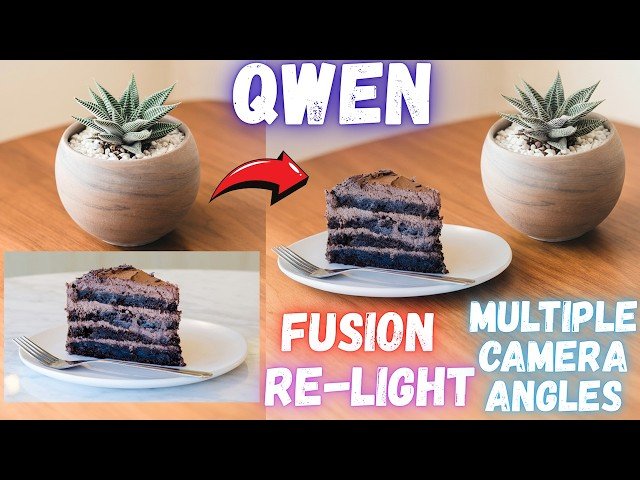
0:00 Introduction to 3 Famous Qwen Image Edit LoRAs: Fusion, Relight, and Multiple Angles
Class Central Classrooms beta
YouTube videos curated by Class Central.
Classroom Contents
Qwen Image Edit LoRAs Tutorial - Fusion, Re-Light and Multiple Angles with SwarmUI
Automatically move to the next video in the Classroom when playback concludes
- 1 0:00 Introduction to 3 Famous Qwen Image Edit LoRAs: Fusion, Relight, and Multiple Angles
- 2 0:41 Overview of Qwen Image Relight LoRA capabilities for changing natural lighting
- 3 0:59 Overview of Qwen Image Multiple Angles LoRA for changing camera perspectives
- 4 1:20 How to download and install the latest SwarmUI Model Downloader script
- 5 1:47 Verifying the new Qwen Image Edit LoRAs in SwarmUI Bundles list
- 6 2:19 Using the search feature to manually find and download specific Qwen LoRAs
- 7 2:48 How to update SwarmUI presets using the Windows Preset Delete & Import script
- 8 3:19 Setting up the Qwen Image Fusion LoRA workflow and selecting the correct preset
- 9 3:40 Extracting the required trigger word and prompt from LoRA metadata description
- 10 4:07 Introduction to BiRefNet HR High Resolution Background Remover tool
- 11 4:42 Reference to previous SwarmUI and ComfyUI backend installation tutorials
- 12 5:24 BiRefNet HR installation completion and GPU compatibility RTX 5000/6000/Cloud
- 13 5:45 How to use BiRefNet HR: Uploading images and understanding resolution settings
- 14 6:27 Comparing BiRefNet processing resolutions: Original Size vs 2048x2048
- 15 7:09 Handling VRAM errors in BiRefNet and viewing the high-quality background removal result
- 16 7:50 Preparing the composite image for Fusion using Paint.NET Layers and Resizing
- 17 8:35 Uploading the prepared image to SwarmUI and setting accurate aspect ratio
- 18 8:58 Explaining Smart Image Prompt Resizing and starting the Fusion generation
- 19 9:48 Reviewing the Qwen Image Fusion results and shadow generation quality
- 20 10:04 Comparing results with Smart Image Prompt Resizing enabled versus disabled
- 21 10:41 Setting up the Qwen Image Relight LoRA workflow and applying the preset
- 22 11:14 Uploading input image for Relight and configuring aspect ratio settings
- 23 11:50 Generating the Relight images and discussing VRAM usage on different GPUs
- 24 12:39 Setting up the Qwen Image Multiple Angles LoRA workflow and prompt selection
- 25 13:12 Uploading input image for Angle changing and adjusting resolution settings
- 26 13:33 Updates on Flux configurations, Torch Compile, and training speed improvements
- 27 14:56 Reviewing the Top-Down View results from the Multiple Angles LoRA generation
- 28 15:23 Conclusion and where to find support for Qwen Image Editing workflows

