Completed
0:06:21 Leveraging Google AI Studio for Advanced Prompt Engineering and Enhanced Audio Generation
Class Central Classrooms beta
YouTube videos curated by Class Central.
Classroom Contents
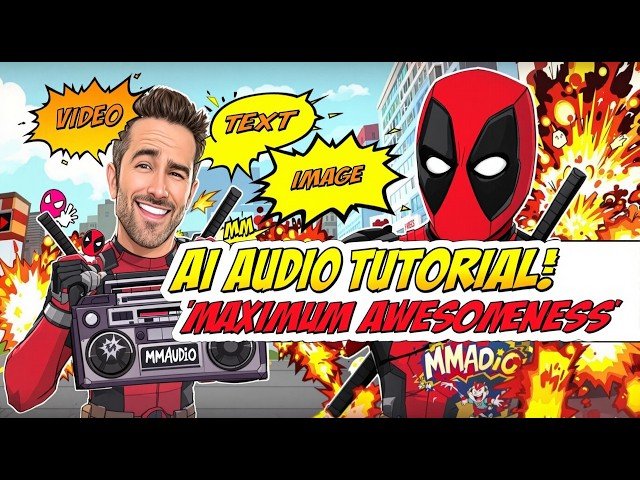
MMAudio from Sony AI Tutorial - Open Source AI Audio Generator for Videos, Images and Text
Automatically move to the next video in the Classroom when playback concludes
- 1 0:00:00 Introduction to MMAudio: State-of-the-Art AI Audio Generation Model
- 2 0:00:06 Exploring MMAudio's Versatility: Generating Audio from Video, Text, and Images
- 3 0:00:23 Demonstrating Video to Audio Functionality and Initial Prompting Concepts
- 4 0:00:45 Showcasing AI Generated Video Examples with Impressive Audio Quality Matching
- 5 0:01:01 Highlighting Perfect Audio Synchronization with Input Video Content: Mind-blowing Results
- 6 0:01:17 Illustrating Realistic Video Audio Generation Capabilities with MMAudio for Enhanced Immersion
- 7 0:01:31 Example of Image Upload and Automatic Audio Generation Based on Visual Input
- 8 0:01:42 Text Prompt to Audio Generation Demonstration: Creating Soundscapes from Written Descriptions
- 9 0:02:06 Tutorial Roadmap: Step-by-Step Guide for Local Windows and Cloud Installation Options
- 10 0:02:47 Accessing Instruction Post & Downloading the Latest MMAudio Installer Zip File - Quick Guide
- 11 0:03:10 Understanding System Requirements and Performing One-Time Mandatory Setup for AI Applications
- 12 0:03:28 Detailed Installation Process: Extracting Zip & Running Windows Install.bat Script Locally
- 13 0:04:00 Clarifying Gradio Application Compatibility and Supported GPU Series RTX 5000, 4000, 3000, etc.
- 14 0:04:24 Verifying Installation Completion, Checking for Errors, and Troubleshooting with Log Files
- 15 0:04:41 Launching MMAudio: Running Start App.bat and Selecting GPU Option Above/Below 8GB VRAM
- 16 0:05:03 Observing Initial Model Download Process and First Look at the MMAudio User Interface
- 17 0:05:19 Navigating the Interface: Configuration Settings and Exploring Video to Audio Features
- 18 0:05:30 Video to Audio Demonstration: Generating Ambient Sound Directly from Video Content Without Prompts
- 19 0:06:21 Leveraging Google AI Studio for Advanced Prompt Engineering and Enhanced Audio Generation
- 20 0:07:04 Generating Multiple Audio Variations and Adjusting Key Parameters like Steps & Guidance Strength
- 21 0:08:18 In-depth Explanation and Demonstration of Batch Processing for Efficient Video to Audio Conversion
- 22 0:09:18 Understanding Batch Processing Logic: Defining Prompts Per Video and Output Folder Configuration
- 23 0:10:41 Text to Audio Functionality Deep Dive: Generating Diverse Audio Files Solely from Text Prompts
- 24 0:11:52 Streamlining Workflow with Batch Processing for Text to Audio: Generating Multiple Prompts at Once
- 25 0:12:50 Image to Audio Functionality Showcase: Generating Contextual Audio Based on Uploaded Images
- 26 0:13:31 Optimizing Image to Audio Results with Effective Prompting Techniques for Targeted Sound Design
- 27 0:14:02 Step-by-Step Guide to Batch Processing for Image to Audio: Automating Audio Generation for Multiple Images
- 28 0:14:48 Mastering Configuration Settings: Saving, Loading, and Resetting Custom Parameter Presets
- 29 0:15:27 Live Speed Comparison: Analyzing Performance Differences Between RTX 5090 and 3090 Ti GPUs
- 30 0:17:50 Cloud Service Installation Tutorial: Massed Compute, Runpod, and Free Kaggle Account Setup
- 31 0:19:29 Kaggle Setup Walkthrough: Importing Notebook, Running the App, and Downloading Generated Files as Zip
- 32 0:20:18 Exploring Patreon Exclusive Content, Discord Community, GitHub Repository, Reddit, and LinkedIn Links

