Completed
0:05 Introduction: Adding iOS to Your Jamf Pro Deployment
Class Central Classrooms beta
YouTube videos curated by Class Central.
Classroom Contents
iOS Deployment with Jamf Pro - Automating iPhone and iPad Management
Automatically move to the next video in the Classroom when playback concludes
- 1 0:05 Introduction: Adding iOS to Your Jamf Pro Deployment
- 2 1:00 Jamf Portfolio Overview: Jamf for Mac, Mobile, and K-12
- 3 3:24 Automation Basics: Apple Business Manager + Smart Groups
- 4 5:05 Supervised Devices: Institutional Ownership and Locked MDM Profiles
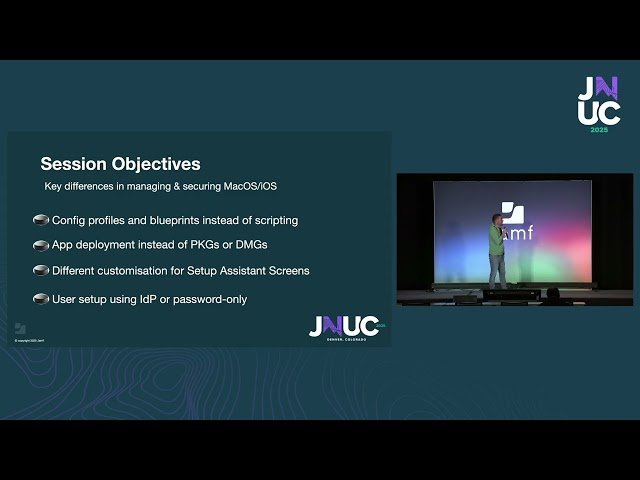
- 5 5:52 macOS vs iOS Differences: No Scripting, No Packages, Configuration Profiles Only
- 6 8:23 iOS Configuration: Profiles, Blueprints, Pre-Stage Settings
- 7 10:42 Pre-Stage Settings: Device Naming, Activation Lock, Shared iPad, Skip Setup Steps
- 8 12:49 Self Service for iOS: On-Demand Apps, Books, PDFs, Wi-Fi Profiles
- 9 15:10 VPP App Deployment: Device-Based Licensing Without Apple IDs
- 10 17:17 Managed App Config: Pre-Configuring Outlook, Self Service
- 11 17:49 Jamf Security Cloud: App-Based and Network-Based Threat Prevention
- 12 20:15 Automating Security Deployment: Jamf Trust App, Activation Profiles, Connect Page
- 13 23:05 Requirements Checklist: Apple Business Manager, Tokens, Managed App Config, Smart Groups
- 14 25:09 Migrating from Intune to Jamf iOS 26: No Device Wipe Required
- 15 26:25 Q&A: Smart Groups Coexistence, Managed Apple IDs, Jamf Trust SSO, Compliance Enforcement, Intune Migration

