Completed
2:14 How to Download & Install Hi3DGen App on Windows
Class Central Classrooms beta
YouTube videos curated by Class Central.
Classroom Contents
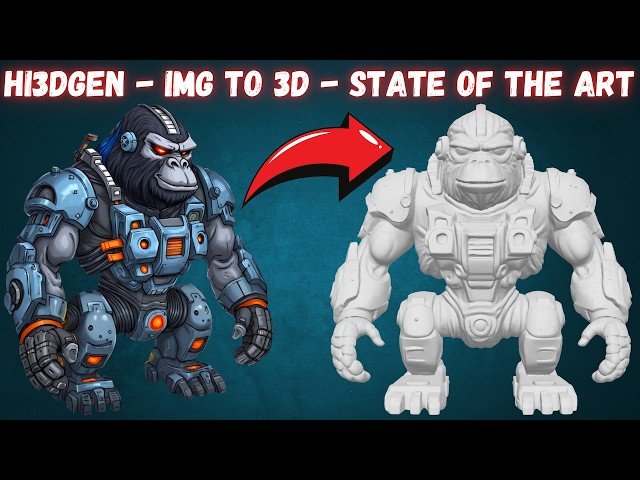
Hi3DGen Tutorial - Complete Guide to AI-Powered 3D Mesh Generation from Images
Automatically move to the next video in the Classroom when playback concludes
- 1 0:00 Introducing Hi3DGen: State-of-the-Art Image-to-3D Model
- 2 0:34 Advanced Gradio App Features & One-Click Installation
- 3 1:17 In-Depth App UI Features: Presets & 3D Result Analysis
- 4 2:14 How to Download & Install Hi3DGen App on Windows
- 5 2:55 Starting the Fully Automatic Windows Installation Process
- 6 3:38 Pro Tip: Upscale Input Images with SUPIR for Best Quality
- 7 4:25 App Parameter Guide and Batch Processing Folder Setup
- 8 5:12 How to Install and Use on Cloud GPUs RunPod & Massed Compute
- 9 5:46 Installation Complete & How to Resume Failed Model Downloads
- 10 6:11 Starting The App & Running Your First 3D Generation
- 11 6:54 Understanding the Generation Process & The Slow xatlas Step
- 12 8:04 Analyzing The First Generated 3D Mesh in The UI
- 13 8:26 Locating & Checking The Automatically Saved 3D Files OBJ, GLB, STL
- 14 8:54 How to Set Up & Start Batch Processing Multiple Images
- 15 9:39 Monitoring Batch Progress & Using The Cancel Feature
- 16 10:15 Detailed Step-by-Step Guide for RunPod Installation
- 17 10:55 Detailed Step-by-Step Guide for Massed Compute Installation
- 18 11:41 Teaser: Ultimate Video Upscaling App Coming Soon

