Completed
00:00:00 Waiting Loop
Class Central Classrooms beta
YouTube videos curated by Class Central.
Classroom Contents
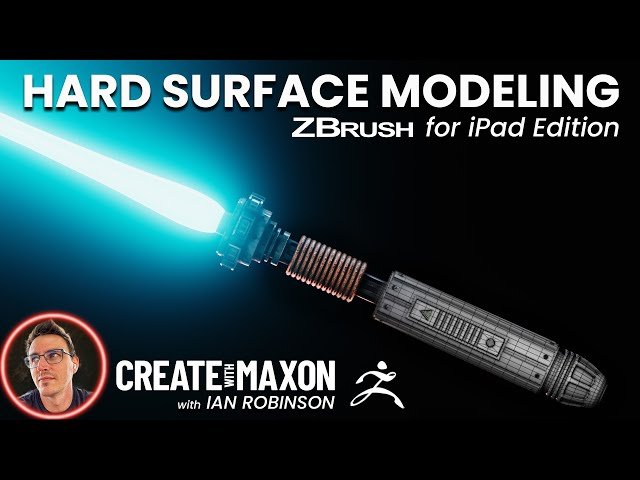
Hard Surface Modeling Using ZBrush for iPad
Automatically move to the next video in the Classroom when playback concludes
- 1 00:00:00 Waiting Loop
- 2 00:02:07 Welcome and Intro
- 3 00:02:31 The Desktop version, URL in chat
- 4 00:03:58 Intro to iPad
- 5 00:07:30 Today's Topic, Preview
- 6 00:07:35 Q - Are you at IBC this year
- 7 00:08:17 ZBrush iPad Light Saber Session
- 8 00:08:28 __ The white and blue dots
- 9 00:08:43 Q - Duration of the session
- 10 00:09:12 __ References, Split Screen
- 11 00:10:02 __ ZBrush Summit, 25 years
- 12 00:10:32 __ New Scene, navigation, buttons
- 13 00:14:50 __ Brushes, ZModeler
- 14 00:15:24 Q - What iPad
- 15 10:16:14 Q - iPad version for complex models
- 16 00:17:43 __ Saving, calling up a cylinder
- 17 00:18:35 Q - Hot key
- 18 00:18:45 Q - Free vs paid version
- 19 00:20:33 __ Tool, Subtools, Handle, Deleting Loops
- 20 00:21:26 __ ZModeler, Gizmo, Control Duplicate Trick ++
- 21 00:23:40 __ Blocking the model[1], Poly Group, Custom Menu
- 22 00:27:29 Q - What apps to learn
- 23 00:29:01 __ Blocking the model[2], Handle, Proportions
- 24 00:32:33 __ Alt Click, Selection SubTools
- 25 00:33:24 Tip - Block out -- keep it loose
- 26 00:34:29 __ Blocking the Model[3], Handle Subtool
- 27 00:37:45 __ View Direction indicator
- 28 00:37:55 __ Blocking the Model[4]Switch, Poly Cube
- 29 00:41:17 Q - Pen Tilt sensitivity
- 30 00:42:16 __ Blocking the Model[4] Heatsink, ZModeler GUI
- 31 00:47:14 __ ZModeler Preset creation
- 32 00:48:18 Q - Import brushes from PC to the iPad version
- 33 00:50:47 __ Adding or deleting Edge Loops
- 34 00:51:51 __ Duplicating Subtools, multiple, Array Mesh
- 35 00:56:43 __ Supportive Edges[1] towards Subdivisions, Crease
- 36 01:00:03 Q - Keyboard, Remote, Fingers
- 37 01:00:27 Q - Polygon limit for single Subtool
- 38 01:01:30 Q - Performance on battery mode
- 39 01:03:29 Q - DynaMesh not changing
- 40 01:05:28 Q - What do you miss, iPad version
- 41 01:05:48 __ Brush and Masking Menu
- 42 01:07:09 __ Tools workflow[1] Inset, Preset, PolyGroup
- 43 01:11:42 __ Tools workflow[2] creating a hole, QMesh
- 44 01:13:13 __ Tools worklfow[3] Recap
- 45 01:13:33 __ Reference and detail exploration
- 46 01:15:10 __ Radial Symmetry[1] temp PolyGroups
- 47 01:17:43 Q - ZBrush, is it the industry standard
- 48 01:18:13 __ Stream Multi, Ventilation points
- 49 01:22:45 __ Bottom, Pizzabox, Rescale
- 50 01:24:37 Q - Use shift plus S but how on an iPad
- 51 01:26:09 __ Radial Symmetry[2] per Subtool, QMesh
- 52 01:32:12 __ NanoMesh[1] Intro and example
- 53 01:34:10 __ NanoMesh[2] Create a NanoMesh Brush
- 54 01:35:44 __ NanoMesh[3] Apply a NanoMesh
- 55 01:37:04 __ NanoMesh[4] Edit Mesh[1] -crash-
- 56 01:38:32 __ NanoMesh[5] Edit Mesh[2]
- 57 01:39:06 __ NanoMesh[6] Visibility Options
- 58 01:40:58 __ NanoMesh[7] Transform Option
- 59 01:42:27 __ NanoMesh[8] Select, variation rotation
- 60 01:44:01 __ Select, Finalize the Mesh, Split Hidden
- 61 01:45:58 Q - Amazed how close iPad and Desktop are
- 62 01:47:16 __ Pommel design[1], about the Art-Direction
- 63 01:49:52 __ NanoMesh[9] Export as brush
- 64 01:51:20 __ Pommel design[2] Radial Sym, Select, Extrude
- 65 01:54:42 __ Pommel design[3] Temp Selection modeling
- 66 01:55:34 __ Supportive Edges[2] control design
- 67 01:57:26 __ Polygroups and Normals controlling design
- 68 02:00:52 Q - Import brushes, alphas, and keep them
- 69 02:03:41 Q - IS it possible to sort Brushes
- 70 02:05:09 Tip - Have fun with it don't worry too much
- 71 02:05:24 __ Extend Shape via QMesh, adjust via mask, Clip
- 72 02:09:54 __ Creating the Button[1] Reference
- 73 02:10:40 __ Creating the Button[2] Mesh detailing
- 74 02:12:37 __ Creating the Button[3] Dynamic Local Symmetry
- 75 02:12:36 __ Creating the Button[4] QMesh structure
- 76 02:14:32 __ Creating the Button[5] Supporting edges
- 77 02:15:16 __ Creating the Button[6] Partially Extrude
- 78 02:17:22 __ Creating the Button[7] Triangle, ZRemesher
- 79 02:23:27 __ Creating the Button[8] Remesh by ZRemesher
- 80 02:24:54 Q - vert edge face selector custom popup
- 81 02:25:48 __ Creating the Button[9] Copy Triangle
- 82 02:27:52 __ Refining elements, Play Session
- 83 02:32:50 __ Colorize elements
- 84 02:36:03 Q - Next Stream
- 85 02:36:39 Q -- Desktop of iPad
- 86 02:37:00 __ Rendering the Saber, Background adjustments
- 87 02:40:24 Q - How many polygons - Is it zpl extension
- 88 02:42:09 Q - Wacom Style pen, Hot key devices
- 89 02:42:59 Wrapping up, Download file, housekeeping, bye

