Completed
00:00:46 Welcome
Class Central Classrooms beta
YouTube videos curated by Class Central.
Classroom Contents
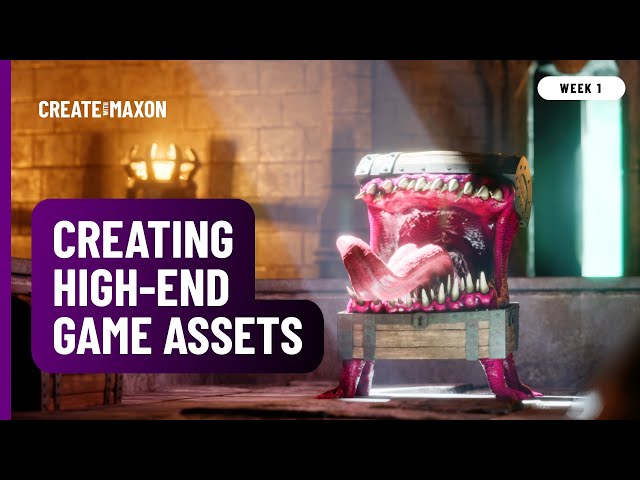
Crafting Game-Ready Assets in ZBrush - Part 1
Automatically move to the next video in the Classroom when playback concludes
- 1 00:00:46 Welcome
- 2 00:02:45 Today's Topic
- 3 00:05:25 Project preview to Unreal
- 4 00:07:10 Part one content
- 5 00:08:19 Download Starter Kit
- 6 00:08:29 __ Loading Project Files
- 7 00:09:30 __ Walkthrough Project files
- 8 00:09:40 __ Typical adjustment, UV
- 9 00:12:24 __ History, PolyGroups, ReMesh, UV
- 10 00:19:44 __ DecimationMaster, Detail perceptive
- 11 00:23:04 __ Level Of Detail, LOD, production
- 12 00:25:30 __ Silhouette as LOD quality check
- 13 00:26:41 __ Re-Topo 1 Manually, Edge Flow
- 14 00:27:44 __ Re-Topo 2 v1 ZSphere, Edit Topo
- 15 00:30:19 __ Re-Topo 3 v2 Topology, Flat
- 16 00:34:24 __ Re-Topo 4 SubTool, ZSphere
- 17 00:35:18 __ Re-Topo 5 v3 ZModeler, EdgeLoop
- 18 00:38:24 Q- Zero to hero for iPad
- 19 00:40:22 Q -- A four-week project-based seminar
- 20 00:40:48 Q - Turn off EdgeLoop selection Lasso
- 21 00:44:05 Q - More practical workflow vs theory
- 22 00:44:25 Summary so far
- 23 00:44:58 Props Development and Scale Reference
- 24 00:46:11 __ Rodolfo's 4K texture scale
- 25 00:47:11 __ Modeling a chest, Deformer Extender
- 26 00:50:52 __ Selections, Hidden, Shrink, Extend
- 27 00:51:30 __ Rodolfo's GUI preference, ZModeler
- 28 00:53:12 __ Close Holes
- 29 00:53:41 __ ZModeler 2, PolyGroups
- 30 00:54:33 __ Dynamic Subdiv, Crease PG, Crease Lev.
- 31 00:58:12 __ Alternate PolyGroup, Poly Loop, Mask
- 32 01:01:23 __ Crease by Angle
- 33 01:02:47 __ DynaMesh
- 34 01:04:09 __ Masking, Extract
- 35 01:05:15 __ Ghost mode, Mask Project, Bevel
- 36 01:07:56 __ MeshExtrudePro, no Live Boolean
- 37 01:09:36 __ Spotlight, LightBox, Pattern, Extend
- 38 01:14:04 __ Subtract, Shift, Mirror, SnapShot
- 39 01:18:42 Q - Texturing in ZBrush means Polypaint
- 40 01:20:31 Q - Changed hotkey, broke spotlight
- 41 01:26:37 MatchMaker, matching the shape
- 42 01:29:13 Housekeeping
- 43 01:32:39 Preview for part two
- 44 01:33:57 Dungeon Door and UV, 4K, Painting
- 45 01:36:35 __ Baking, Mirror
- 46 01:37:27 __ Prep for Substance
- 47 01:37:53 __ Modular is everything in Games
- 48 01:41:04 Wrapping up
- 49 01:42:15 Thank you and Bye

