Completed
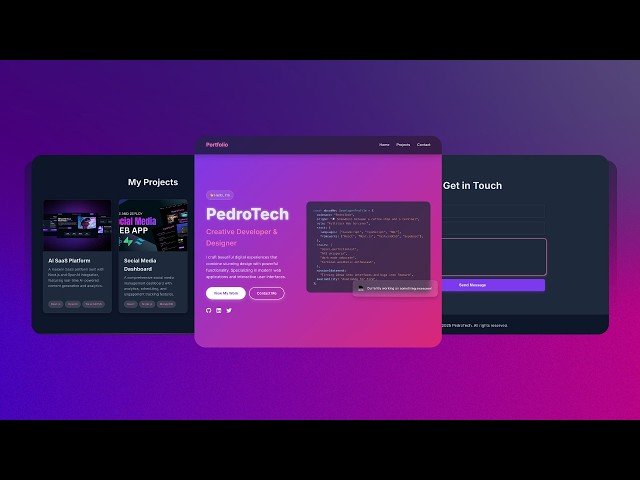
00:00 - Intro & What We’ll Build
Class Central Classrooms beta
YouTube videos curated by Class Central.
Classroom Contents
Build and Deploy a Personal Developer Portfolio with ReactJS and Animations - Framer Motion Tutorial
Automatically move to the next video in the Classroom when playback concludes
- 1 00:00 - Intro & What We’ll Build
- 2 00:38 - Brilliant Sponsorship Message
- 3 01:52 - Vite Project Setup create-vite, install, run dev
- 4 03:27 - Cleaning Boilerplate & Creating Component Structure
- 5 07:01 - Global CSS & Theme Variables
- 6 12:04 - Animated Navbar with Framer Motion
- 7 31:49 - Hero Section: Layout & Entrance Animation
- 8 40:49 - Hero Badge & Glitch Title Effect
- 9 45:26 - Call-to-Action Buttons
- 10 47:14 - Social Links GitHub, LinkedIn, X
- 11 55:12 - Embedding a Syntax-Highlighted Code Block
- 12 57:05 - Floating Card Animation
- 13 59:54 - Mobile-Responsive Tweaks for Hero Section
- 14 1:14:03 - Projects Section Grid Layout
- 15 1:18:20 - Adding & Populating Project Cards
- 16 1:25:40 - Hover & Glass Effects on Project Cards
- 17 1:36:04 - Building the Contact Section UI
- 18 1:42:45 - Styling the Form & Inputs
- 19 1:47:01 - Adding Glassy Hover Effects to the Submit Button
- 20 1:50:47 - Configuring EmailJS & Environment Variables
- 21 1:57:10 - Handling Input Change and Form Submission Logic
- 22 2:03:22 - Success / Error Messages & Testing
- 23 2:09:38 - Animated Footer Setup
- 24 2:13:02 - Deploying to Vercel

