Completed
00:53:03 Define User Profile Model
Class Central Classrooms beta
YouTube videos curated by Class Central.
Classroom Contents
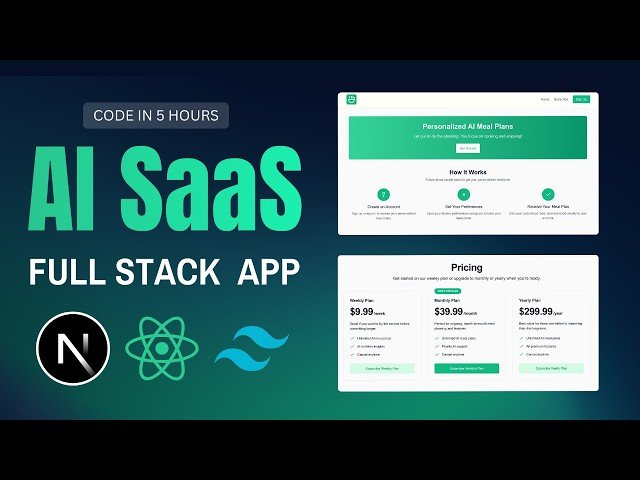
Building a Full Stack AI SaaS Web App with NextJS 15, Stripe, TypeScript and TailwindCSS
Automatically move to the next video in the Classroom when playback concludes
- 1 00:00:00 Introduction & Overview
- 2 00:03:12 Create Navbar Component
- 3 00:04:40 Setup File & Folder Structure
- 4 00:08:05 Test Routes & Navbar UI
- 5 00:10:07 Setup Navigation & Logo Link
- 6 00:10:31 Clerk Authentication Setup
- 7 00:12:03 Create Clerk App Instance
- 8 00:13:03 Configure Env & Middleware
- 9 00:15:10 Wrap App with Clerk Provider
- 10 00:16:26 Expand Signup Route
- 11 00:17:47 Test Signup Component
- 12 00:20:06 Modify Navbar for Auth State
- 13 00:24:10 Display User Profile Image
- 14 00:28:05 Setup Signed-Out Navbar Links
- 15 00:32:09 Center Signup Page UI
- 16 00:33:06 Set Redirect After Signup
- 17 00:33:47 Update Homepage Content
- 18 00:35:00 Paste Landing Page HTML
- 19 00:36:04 Change Theme to Light Mode
- 20 00:37:03 Test "Get Started" Redirection
- 21 00:41:01 Middleware: Logging & Checks
- 22 00:43:00 Define Public Routes
- 23 00:44:04 Redirect Unauthenticated Users
- 24 00:47:15 Stripe Integration Overview
- 25 00:48:18 Track Subscription Status
- 26 00:49:01 Setup Neon Database & Prisma
- 27 00:50:04 Initialize Prisma Setup
- 28 00:52:08 Review Prisma Schema
- 29 00:53:03 Define User Profile Model
- 30 00:54:02 Migrate Database Schemas
- 31 00:59:05 Create Profile API Endpoint
- 32 01:01:00 Handle Profile Creation Request
- 33 01:05:00 Use React Query for API
- 34 01:09:00 Setup Stripe Checkout API
- 35 01:14:00 Create Stripe Checkout Session
- 36 01:18:00 Handle Stripe Webhook Events
- 37 01:24:00 Update Database Post-Checkout
- 38 01:29:00 Build Subscription Flow Logic
- 39 01:33:00 React Query: Checkout Mutation
- 40 01:37:00 Test Stripe Checkout Process
- 41 01:41:00 Integrate Toast Notifications
- 42 01:45:00 Verify Stripe Payment Success
- 43 01:50:00 Generate AI Meal Plan
- 44 01:55:00 Build Meal Plan Form & UI
- 45 02:00:00 Submit Meal Plan Request
- 46 02:05:00 Display AI Meal Plan Results
- 47 02:10:00 Build Weekly Meal Calendar
- 48 02:15:00 Profile Page Overview
- 49 02:20:00 Display User Profile Info
- 50 02:25:00 Show Subscription Details
- 51 02:30:00 Change Subscription Plan
- 52 02:35:00 Implement Plan Update API
- 53 02:40:00 Test Plan Update Mutation
- 54 02:45:00 Unsubscribe Functionality
- 55 02:50:00 Confirm Unsubscription Flow
- 56 02:55:00 Final Profile Page Updates
- 57 03:00:00 Generate Final AI Meal Plan & UI Adjustments
- 58 03:05:00 Review Meal Plan Display & Calendar Layout
- 59 03:10:00 Refine Meal Plan Styling & Data Presentation
- 60 03:15:00 Test Meal Plan Generation Across Days
- 61 03:20:00 Integrate UI Feedback Spinner, Toasts
- 62 03:25:00 Finalize Weekly Calendar Navigation
- 63 03:30:00 Profile Page: Update & Change Plan Flow
- 64 03:35:00 Test Subscription Plan Update & Redirects
- 65 03:40:00 Validate Unsubscription & Final Profile Cleanup
- 66 03:45:00 Finalize React Query & Toast Integration on Profile
- 67 04:15:00 Wrap-Up: Next Steps & Recommendations
- 68 04:20:00 Final Review of Project Functionality

