Completed
- 4:13 The Importance of Lighting
Class Central Classrooms beta
YouTube videos curated by Class Central.
Classroom Contents
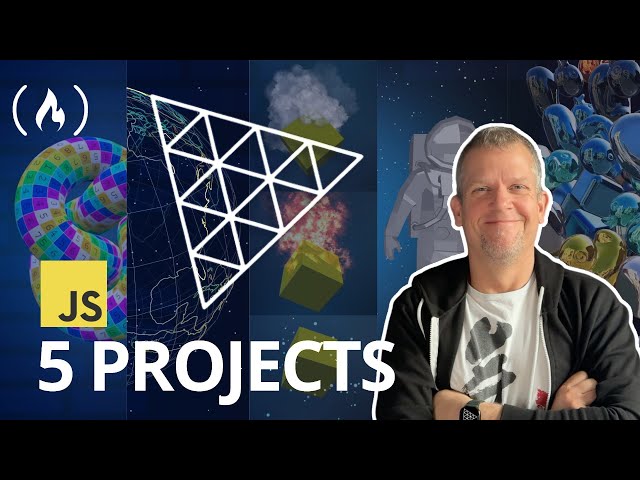
JavaScript Tutorial with Three.js - 5 Projects for Beginners
Automatically move to the next video in the Classroom when playback concludes
- 1 - 0:00 Welcome & Course Overview
- 2 - 0:20 Projects You'll Build
- 3 - 0:51 Meet Your Instructor: Bobby Row
- 4 - 1:03 The 5 Standalone Projects
- 5 - 1:34 Skipping Around the Course
- 6 - 1:39 Getting Started with 3JS
- 7 - 2:23 Understanding the 3JS Toolbox
- 8 - 2:54 The Core 3JS Components Scene, Camera, Renderer
- 9 - 3:10 Geometries, Materials & Meshes
- 10 - 4:13 The Importance of Lighting
- 11 - 4:30 Simple Animations
- 12 - 4:57 The Beginner's Road Map
- 13 - 5:12 The Intermediate Road Map
- 14 - 6:21 The Advanced Road Map
- 15 - 6:45 Where to Find Help & Inspiration
- 16 - 7:08 Learn by Experimenting
- 17 - 7:26 An Introduction to Textures
- 18 - 7:50 Applying a Simple Texture
- 19 - 8:48 Handling Texture Aspect Ratios
- 20 - 10:50 Normal & Roughness Maps
- 21 - 12:20 Materials & Lighting
- 22 - 14:40 Understanding Normal Maps
- 23 - 15:11 Roughness Maps & Shininess
- 24 - 16:45 Experimenting with Different Textures
- 25 - 17:35 Building the 3D Globe
- 26 - 18:50 Setting Up the Sphere
- 27 - 21:56 Adding Stars to the Scene
- 28 - 22:54 Drawing Country Outlines
- 29 - 28:17 Using Fog for Depth
- 30 - 31:56 Adding Random Colors
- 31 - 34:50 Creating Particles
- 32 - 35:43 Building a Smoke Effect
- 33 - 37:12 Tweaking Particle Properties
- 34 - 39:38 Creating a Fire Effect
- 35 - 41:46 The Sparkly Dot Effect
- 36 - 45:50 The Role of Rotation
- 37 - 46:20 Scroll-Triggered Animations
- 38 - 46:55 Setting up HTML & CSS
- 39 - 48:25 Linking 3JS to the DOM
- 40 - 49:03 Responding to Scroll Events
- 41 - 50:42 Loading the Astronaut Model
- 42 - 53:48 Applying a Matcap Material
- 43 - 54:38 Linking Rotation to Scroll
- 44 - 55:29 Adding a Starfield
- 45 - 57:49 Smoothing the Animation
- 46 - 1:00:46 An Introduction to Physics with Rapier
- 47 - 1:02:00 Initial Scene Setup
- 48 - 1:05:27 Adding HDR Environment Lighting
- 49 - 1:07:49 Creating Metallic & Reflective Objects
- 50 - 1:09:08 Incorporating Different Geometries
- 51 - 1:10:45 Adding Rotational Physics
- 52 - 1:11:31 Visualizing Colliders
- 53 - 1:12:47 Using convexHull for Custom Colliders
- 54 - 1:17:31 Improving Mouse Interactivity
- 55 - 1:21:20 Integrating a GLTF Model
- 56 - 1:22:55 Adding a Color Palette

